Qiskit Certification Prep: an interactive quantum study lab
A compact React and Qiskit prototype that turns the IBM Qiskit v2.x Developer certification syllabus into illustrated lessons, interactive widgets, circuit practice and weighted mock exams.
I built Qiskit Certification Prep while preparing for IBM's Qiskit v2.x Developer certification. The idea was deliberately small: instead of collecting another folder of notes, I wanted a study prototype where every concept could lead directly to a visual explanation, a circuit, a short exercise or an exam-style question.
The result is a full-stack learning lab organised around the certification objectives. It combines 35 illustrated lessons, embedded quantum widgets, a real Qiskit playground, five practical exercises and a 68-question mock exam. It is not an official IBM product; it is my own way of turning a large technical syllabus into a repeatable practice loop.
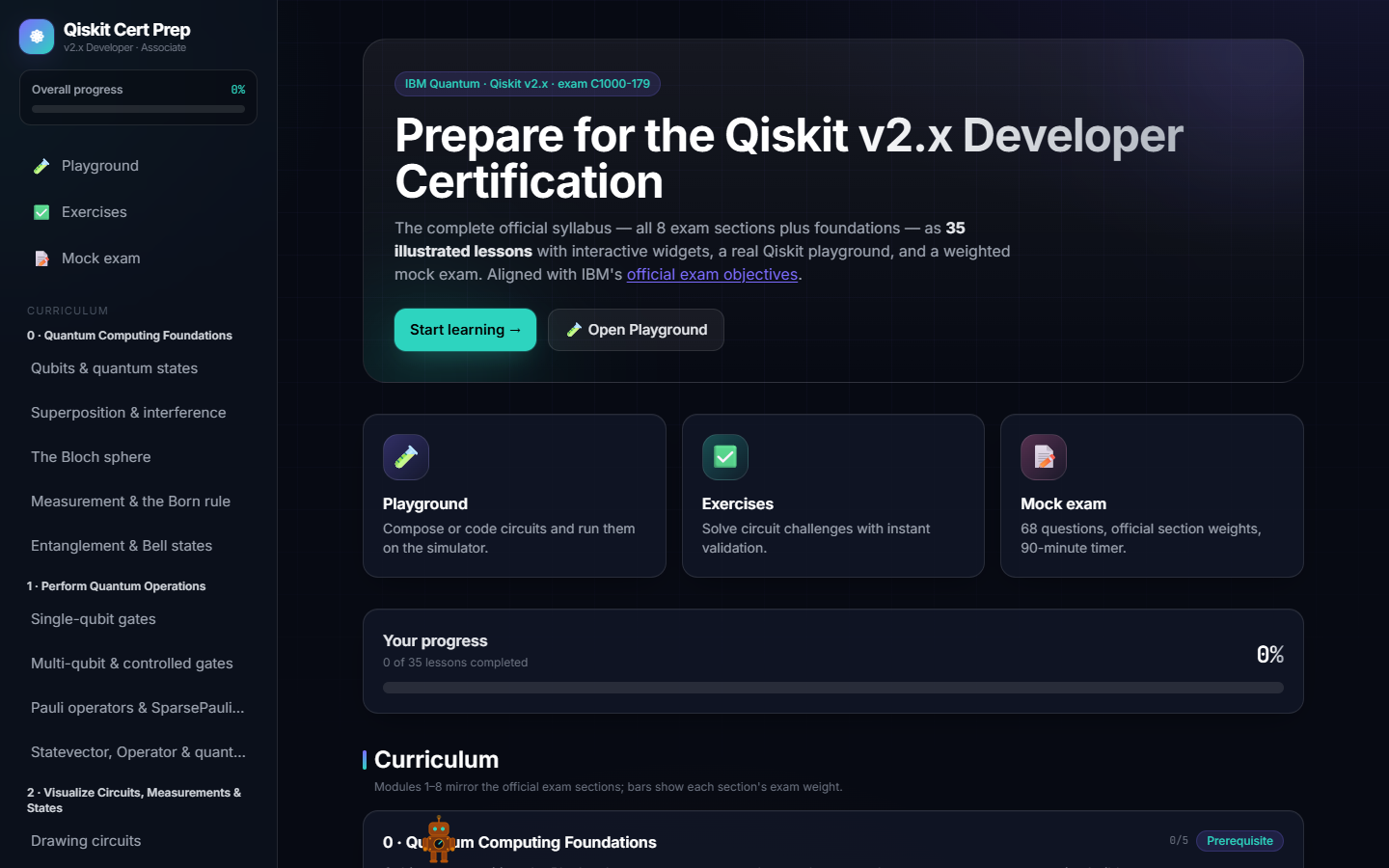
A syllabus that behaves like a product
The home screen maps the material into ten modules. Eight mirror the weighted exam sections: quantum operations, visualisation, circuit construction, circuit execution, Sampler, Estimator, results and OpenQASM. Foundations and exam strategy sit around them so the guide also explains the ideas that the API assumes you already know.
Each module is broken into short Markdown lessons with Qiskit examples and links back to authoritative material. Progress is stored locally, the sidebar keeps the entire roadmap visible, and the dashboard makes it easy to resume without inventing a new study plan every time.
The important design decision was to keep the curriculum as content rather than hard-coded screens. Lessons can embed a named widget with a small fenced block, so explanations remain readable while interactive demonstrations can evolve independently.
Making the abstract manipulable
The guide currently exposes ten widget variants across seven interactive families. They cover a draggable Bloch sphere and statevector amplitudes, gate matrices, step-by-step circuit evolution, Bell-state correlations, measurement histograms, transpilation trade-offs and the data flow through Sampler and Estimator.
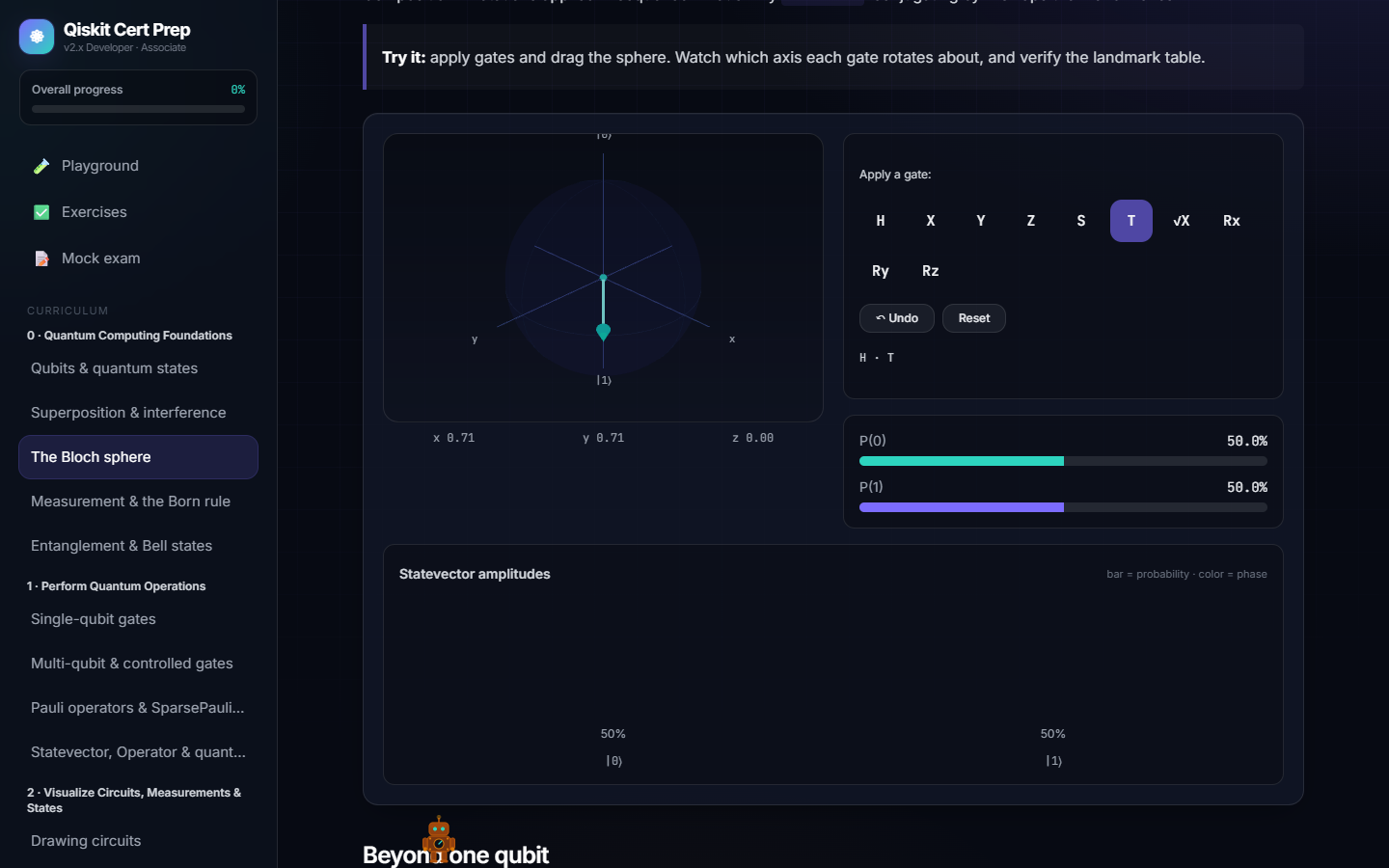
These are not decorative diagrams. Applying gates updates the statevector, probabilities, phase and Bloch vector together. The circuit stepper reveals the state after every operation. The entanglement and measurement labs turn repeated shots into visible correlations. The primitive walkthrough follows a circuit through transpilation, execution and result objects.
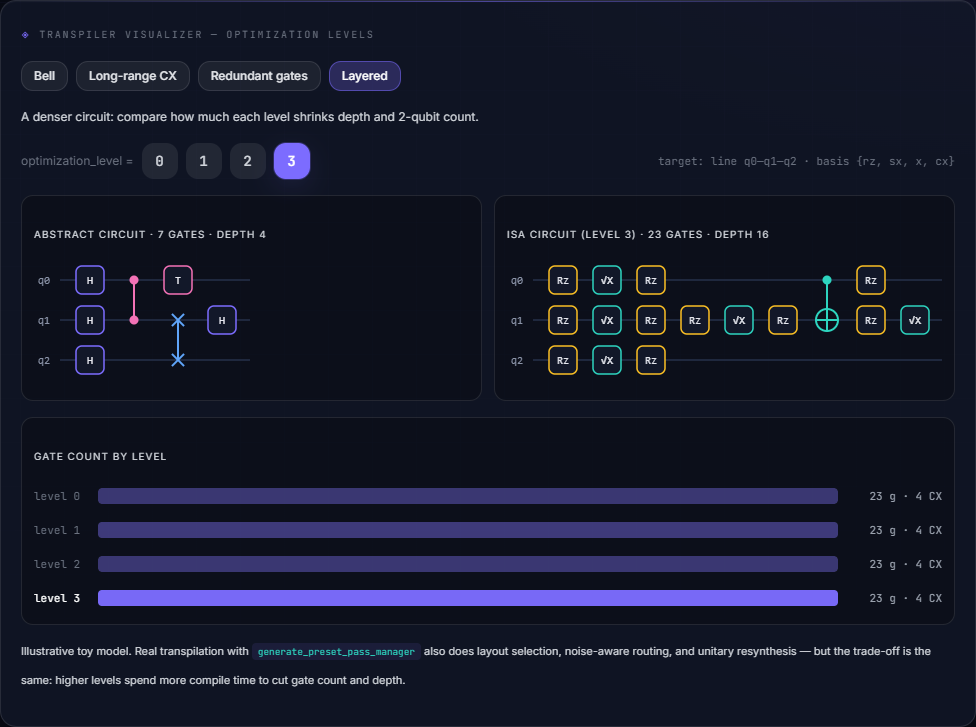
The transpiler visualiser was especially useful for exam preparation because it makes an easy-to-miss distinction concrete: an abstract circuit is not yet an ISA circuit. Presets show routing on a linear coupling map, native-basis translation and the effect of optimisation levels 0–3 on gate count and depth.
From a diagram to executable Qiskit
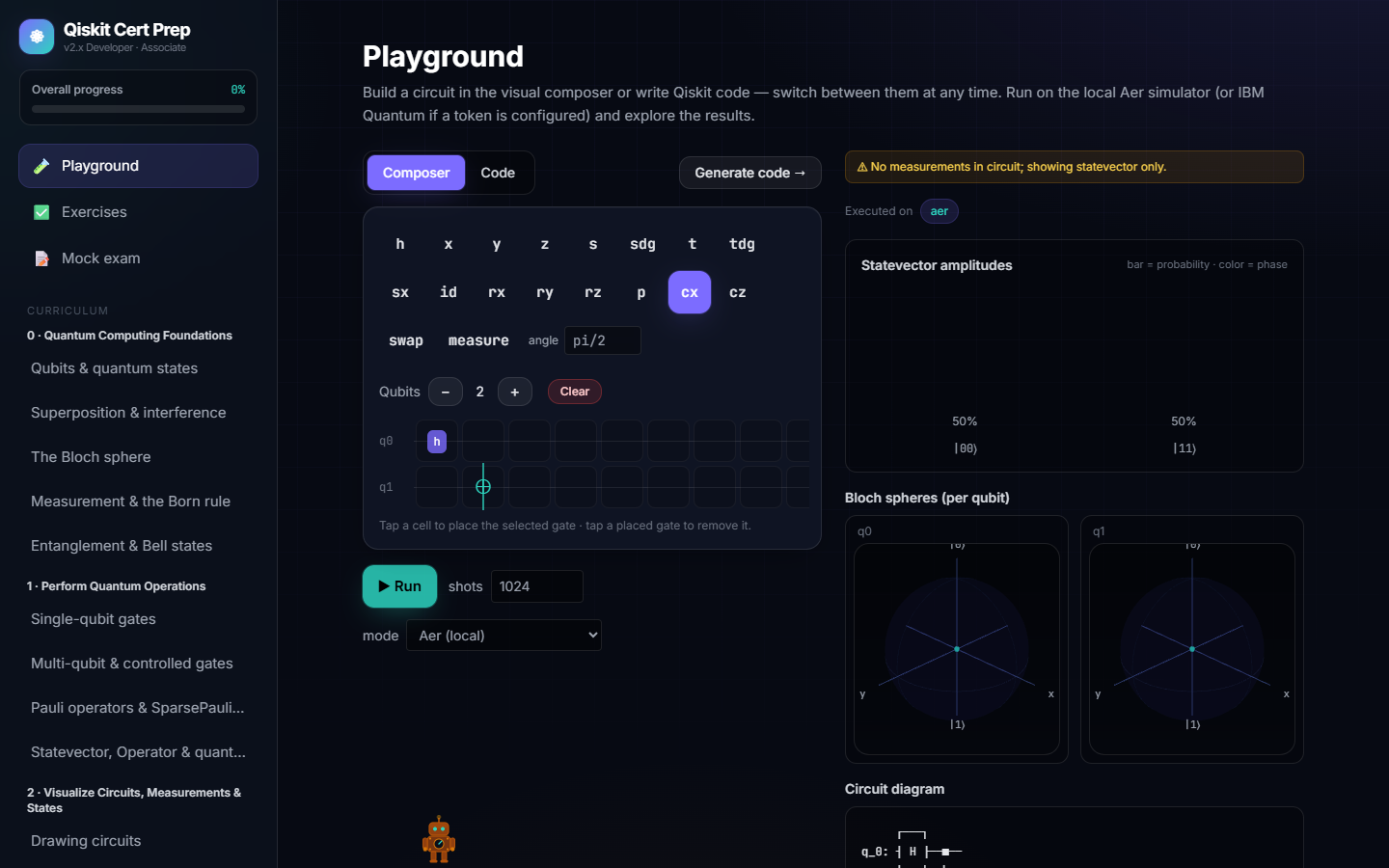
The Playground connects the visual and programming sides of the guide. A circuit can be composed on a grid or written in the embedded Monaco editor; the application converts in both directions so the learner can see how a visual operation maps to Qiskit code.
Execution goes through a FastAPI backend. By default it uses the bundled Qiskit Aer simulator, while an optional IBM Quantum token enables hardware execution through Qiskit Runtime. Results can include measurement counts, statevector amplitudes, per-qubit Bloch spheres, warnings and a text circuit diagram.
The backend also performs composer-to-code conversion, parses supported code back into the composer and runs submitted snippets inside a constrained subprocess. The sandbox uses an AST allowlist plus time and resource limits. That is appropriate for this personal learning tool, but it is intentionally described as best-effort rather than multi-tenant isolation.
Practice under exam conditions
Reading and experimenting are followed by two tighter feedback loops. The exercise area loads practical circuit challenges from the backend and validates the submitted circuit in phases, so feedback can distinguish structural mistakes from an incorrect quantum result.
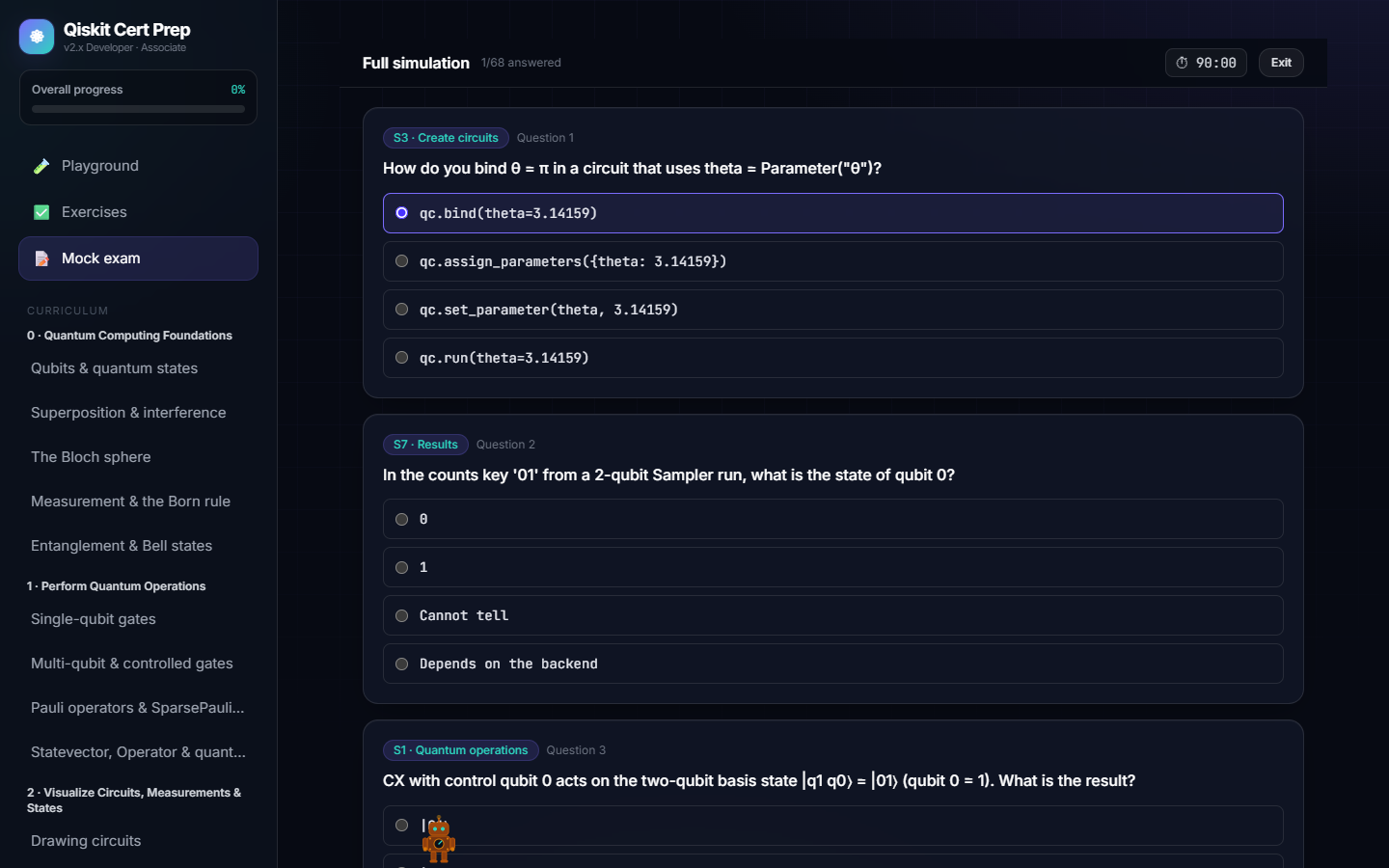
The mock-exam area offers a 20-question quick drill or the complete 68-question simulation. The full mode uses a 90-minute timer and the 47/68 pass mark; both modes preserve the official section proportions. After submission, explanations and per-section scores make the result useful as a study diagnosis rather than just a number.
What this prototype helped me test
Technically, the project is a React, Vite and TypeScript SPA with Three.js visualisations, Monaco, Zustand progress state and a FastAPI/Qiskit backend. Both services are independently containerised, with a development proxy and a production nginx proxy keeping the browser on a single origin.
More importantly, it tests a learning hypothesis: quantum computing becomes less intimidating when the formula, circuit, state and result are kept on the same screen. The prototype does not replace the official documentation or hands-on work with real hardware. It gives me a compact place to rehearse the connections between them—and to discover exactly which section I need to study next.